

Stream Summaries
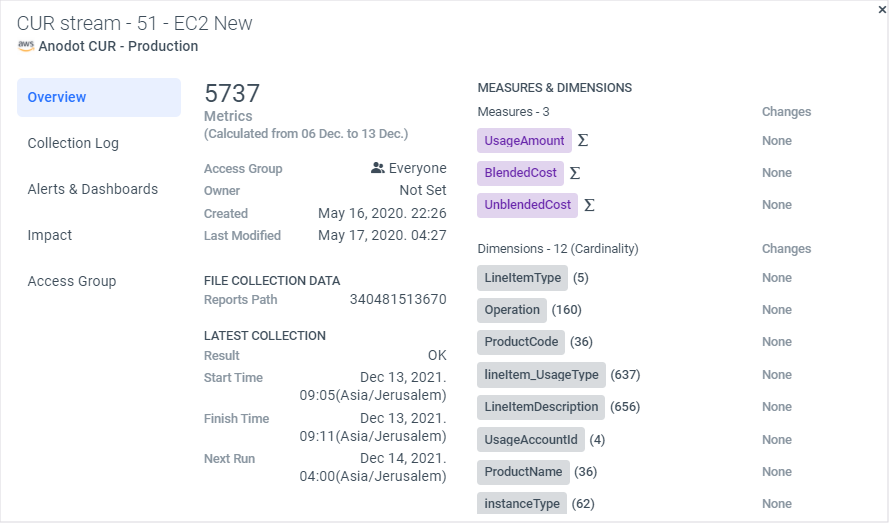
Stream summaries enable you to view at a glance:
-
The number of metrics used out of your metrics account.
-
Measures and dimensions.
-
Information on who can access the data in the stream (in line with your RBAC settings), which can be one of Everyone, None, or Selected Groups.
-
A log of collection information (via the Collection Log tab - if available).
-
Any relevant alerts and dashboards for the stream (via the Alerts & Dashboards tab - if available).
-
Dimension cardinality.
-
Timestamp fields, including the timezone if the timestamp pattern is not epoch time-based. [Not applicable to Google Analytics and Salesforce]
-
Additional data is displayed per source type. For example:
- Schedule settings
- S3 and GCS streams include the file path
- SQL and BigQuery streams include the table name and query text
To view a stream summary
- From the Navigation Panel, click Integrations > Sources.
- In the displayed Sources page, select the source and stream you want to view.
- Click the stream name to view the stream summary, as shown below.
Updated over 1 year ago