

Authentication Page
The first Admin user is created by Anodot when a new account is created. The designated Admin user will receive a Welcome Email with a link and instructions on how to set up a password. After the initial setup, all new users are added to the Anodot system by Admin users.
To authenticate a user
-
Open Anodot.
-
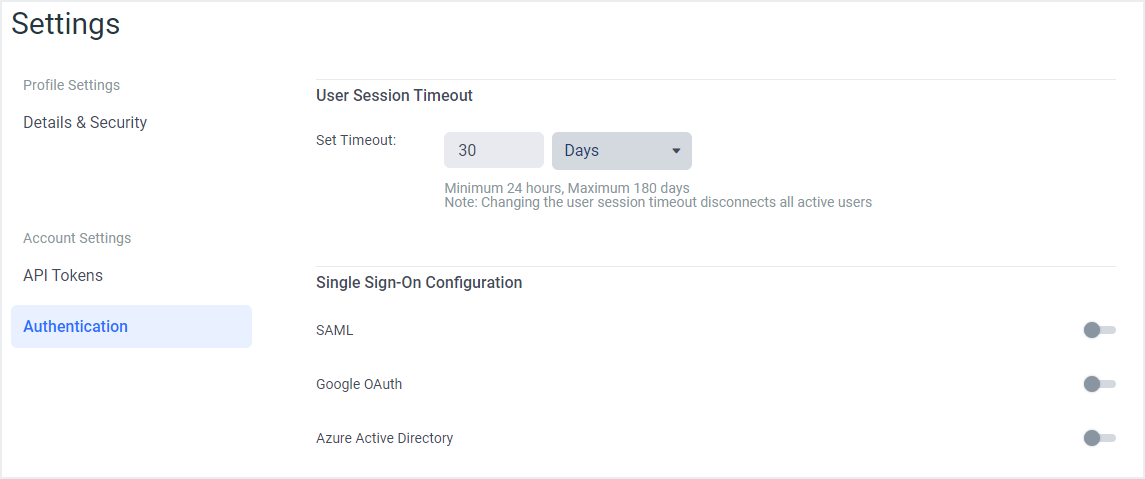
From the Navigation Panel, click Settings > Authentication to open the Authentication page.
-
Set the duration [in days or hours] of Anodot sessions in the User Session Timeout section. The Anodot session will remain 'active' for the time specified in the Set Timeout field.
-
In the Single Sign-On Configuration section, select one of the following:
Updated over 1 year ago
Did this page help you?