

Google Search
The Google Search Collector enables you to monitor your website performance in Google by streaming Google Search console query results to Anodot.
Creating a Google Search data source
To provide Anodot access to the Google Search console, you need to have access yourself as a site admin/owner. Visit https://search.google.com/search-console to manage access to your sites.
-
In the Navigation Panel, go to Integrations > Catalog.
-
Use the Search box OR click the Monitoring filter to locate the data source.
-
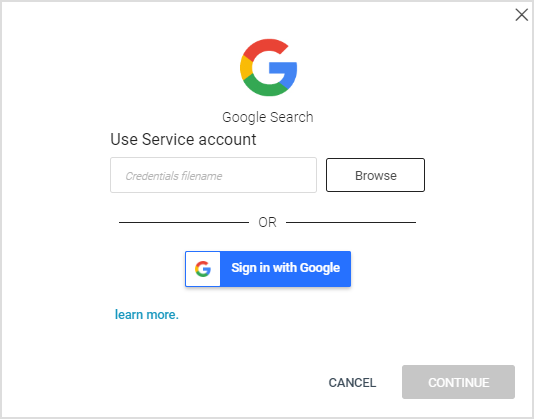
Hover over the Google Search tile, and click Start. The Google Search dialog is displayed, as shown below. Note: If the data source has already been used, a dialog is displayed in which you can select from one of the listed sources. Alternatively, create a new source by clicking Add a new source.
-
Follow the onscreen instructions, starting with granting access to your Google Search accounts.
Creating a Google Search stream query
If you have just created a Google Search data source, skip to step 3.
- In the Sources page (accessed by clicking Integrations > Sources in the Navigation Panel), filter the list of streams to find the Google Search source for which you want to create a stream query.
Note: The streams associated with that source are displayed. If the streams panel is empty, no stream queries exist for that source. - Hover over the Google Search data source, and click + New Stream. The Stream Query page is displayed.
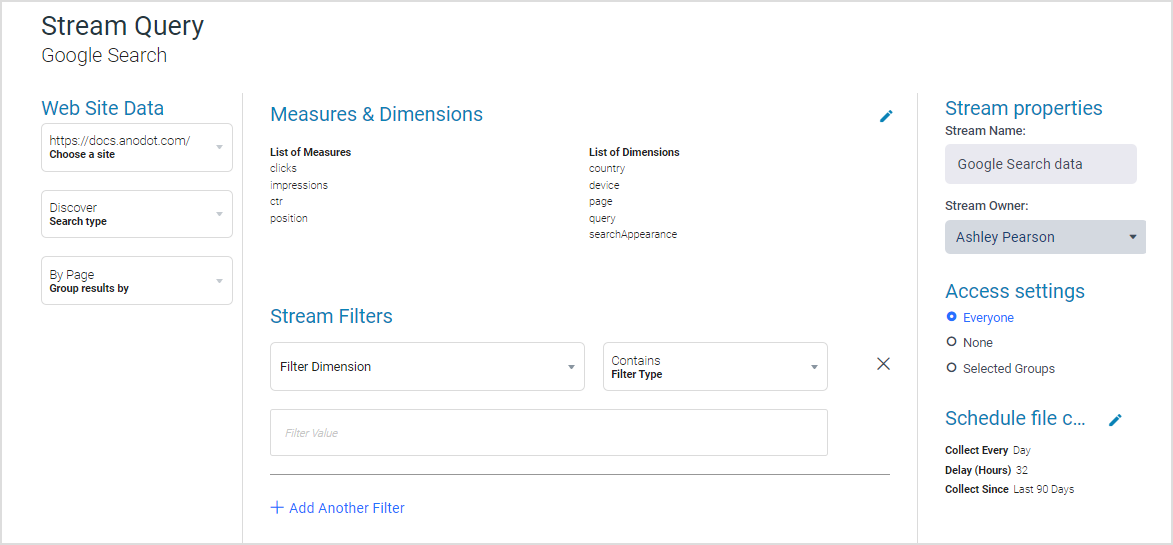
- In addition to defining a name, owner, and access settings, define the following query settings:
-
In the Web Site Data section, select the relevant site, search type (select from Discover, Google News, Image, Video, or Web), and group results options.
-
Set the relevant Measures & Dimensions: the list of Measures is fixed (clicks, impressions, ctr, and position), while you can select any of the listed Dimensions (country, device, page, query, and searchAppearance).
-
Define Stream Filters (add as required) using the relevant dimensions and types.
Note: If the “page” dimension is chosen in the dimension list or used as a filter, the only value available is “By Page”. Similarly, if the “type” is either “discover” or “googleNews”, the aggregate by value can only be “By Page”. -
Set the scheduling parameters: click the pencil icon to define the Collect Every, Delay (Minutes) (default is 45 minutes), and Collect Since (default is Last 7 Days) values.
-
- Click NEXT to collect data and move to the Stream table .
Updated over 1 year ago