

Editing Live Data Streams
To support changes in business requirements that may result in changed data sets, ETLs and metrics, Anodot enables the editing of live streams.
The editing of live streams is available for the following source types: Amazon Kinesis, Amazon Redshift, Amazon S3, Databricks, Google BigQuery, MariaDB, Microsoft SQL Server, MySQL, Oracle database, PostgreSQL, ,Snowflake and Salesforce.
-
From the list of displayed streams, hover over the relevant stream and click Edit.

-
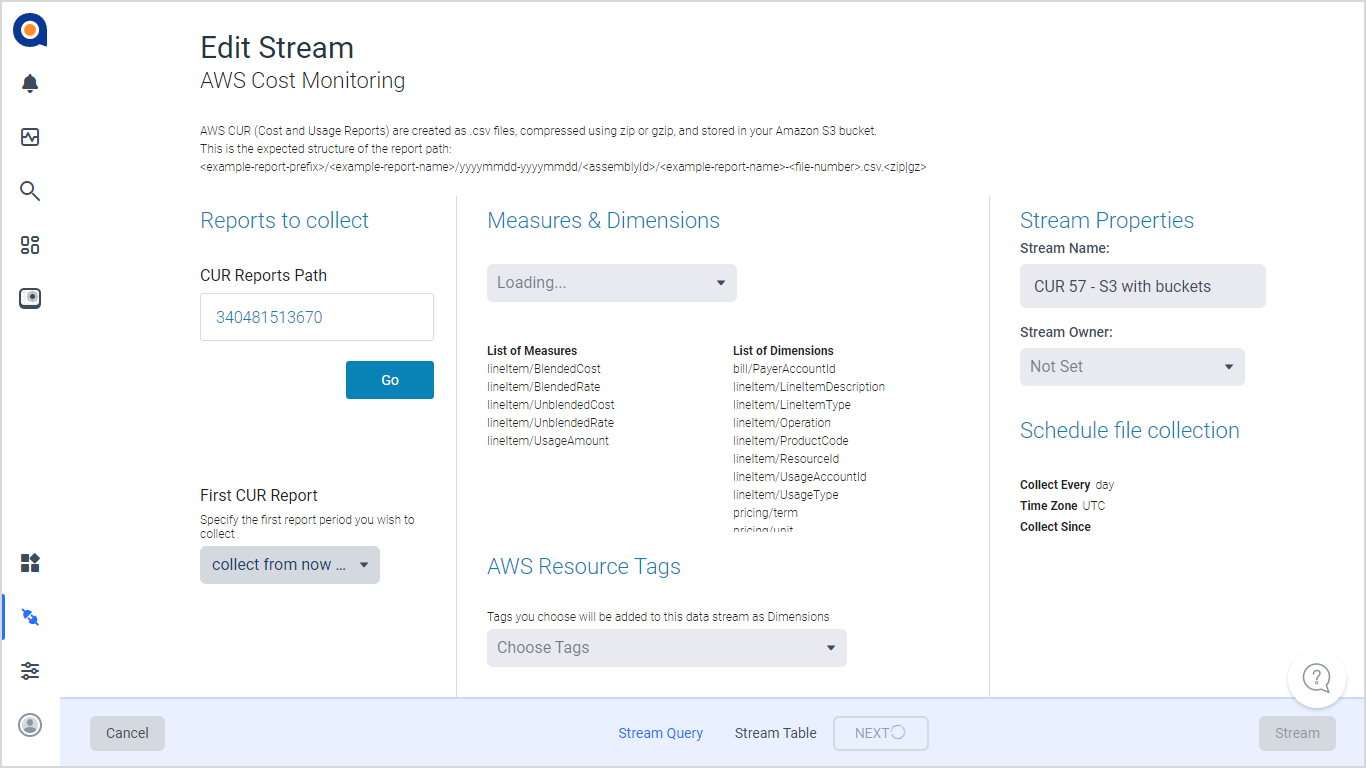
In the Stream Query page, edit the relevant settings as required.
-
Click NEXT. The updated Stream Table is displayed Alternatively, click Stream to skip the Stream Table.
-
Perform the required updates in the Stream Table, then click Stream to update the stream.
-
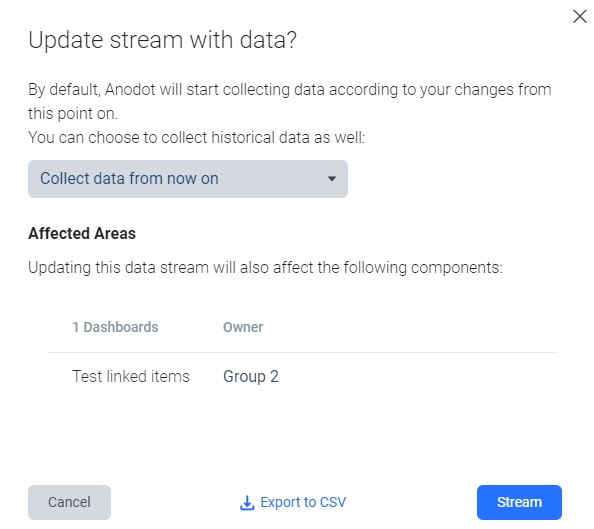
In the displayed confirmation dialog, you can also choose to collect historical data, and export the list of Dashboards, Alerts and Composite metrics using the stream metrics to a CSV file (by clicking Export to CSV). Click Stream to confirm your settings; Anodot will start collecting data according to your changes from this point on.
Updated over 1 year ago