

Managing the All Anoboards Window
To display all the All Anoboards window
From the main Navigation panel, click Anomalies.
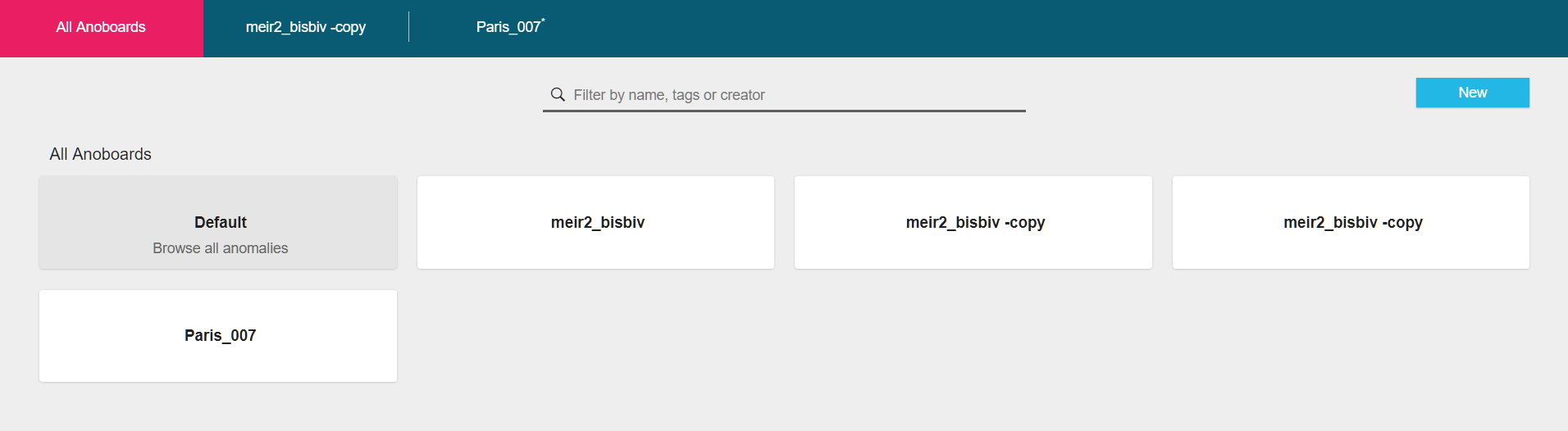
The names of open tiles are displayed in All Anoboards title bar.
| To: | Click: |
|---|---|
| Filter tiles by name, tags or tile owners | Type a name(s)/ tag(s) and name owner(s) in the Filter field |
| Open a tile | On the tile you want to open |
| Close a tile | Hover over the tile name in the All Anoboards bar and click  |
| Prioritize a tile - prioritized tiles are displayed at the top of the main Dashboard window | Hover over the tile and click   indicates a prioritized tile. indicates a prioritized tile. |
Change the tile
| The More icon  |
Updated 2 months ago
Did this page help you?