

Managing Alert Channels
Anodot supports various notification channels and you can define per alert which channel is notified:
- Slack
- PagerDuty
- JIRA Instance
- Opsgenie
- Microsoft Teams
- TamTam Chat Messenger
- AWS SNS
- Webhook – The webhook channel enables you to connect Anodot to any process you are running. Notifications are sent via HTTP/HTTPS [See Anomaly Alert Webhook Formats ]
Note: See Allowlist Anodot Servers.
To view channels
From the Navigation Panel, click INTEGRATIONS > Channels. The Channels page is displayed.
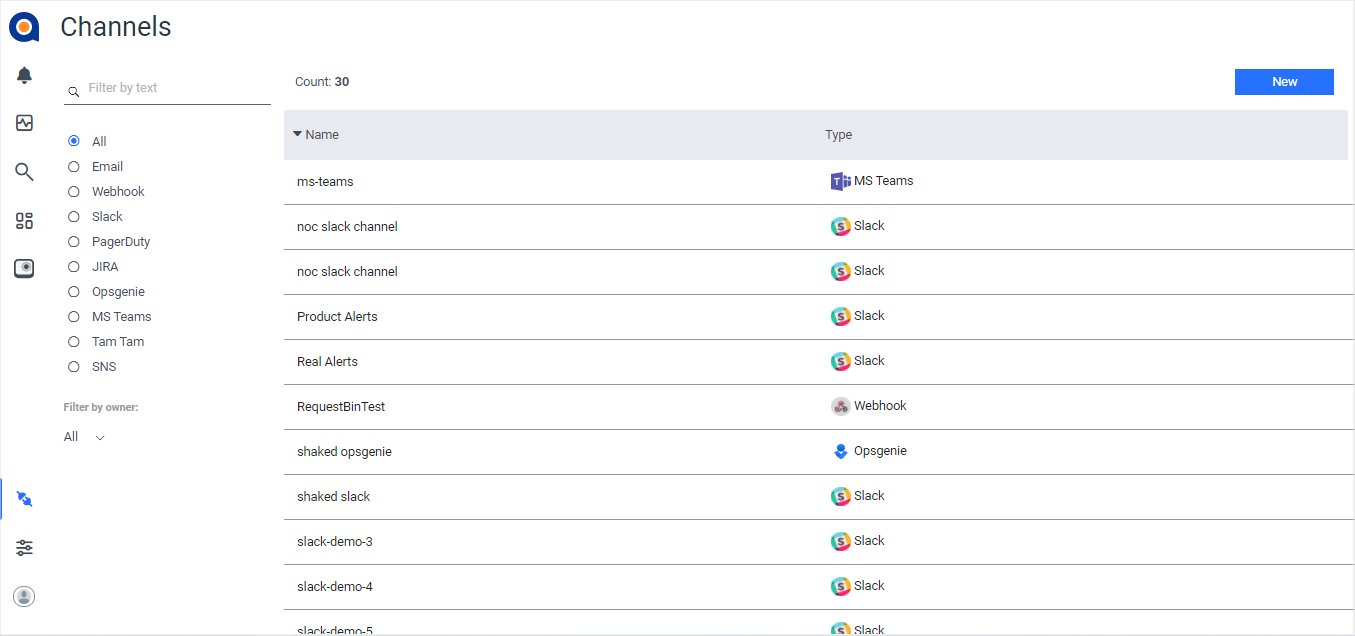
To create a channel
To create a new channel, click New in the top right corner of the Channels page (shown above).
OR
Select the relevant channel type (for example, you want to create a new email channel, so select an existing email channel instance in the displayed list), and then click the Duplicate icon to duplicate the instance.
To edit a channel
To edit a channel, select the channel instance in the displayed list and click the Edit icon. Edit as required (as described in the relevant articles for each channel type), and then click Save.
To display the time in your timezone in an alert email, first change your time zone setting within Anodot to the required zone, and then subscribe to the required alert as a user.
Updated 2 months ago