

Exporting and Importing Dashboards
To Export a Dashboard
-
In the All Dashboards window, open the Dashboard you want to export.
-
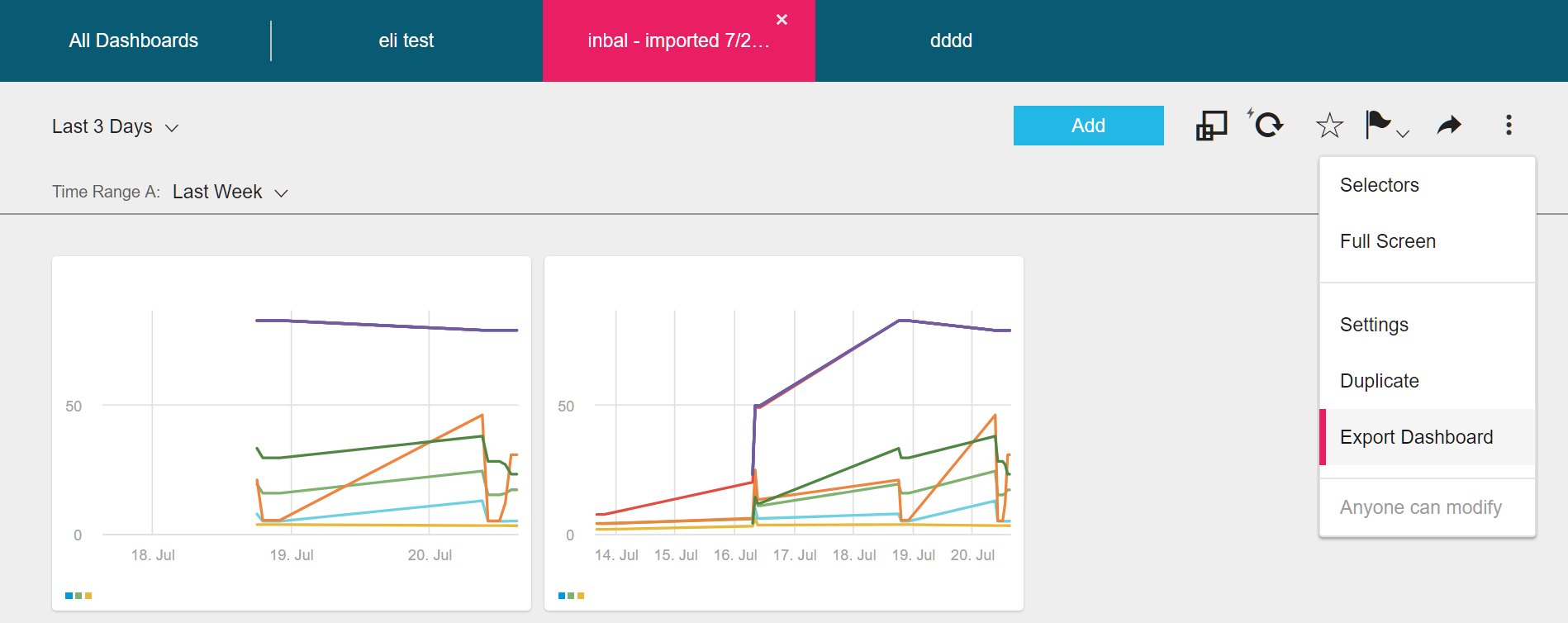
Click the Dashboard Settings Menu.
-
Select Export Dashboard.
Your OS system will ask you where you want to save the file.
-
Click Save. A JSON file is generated - the default file name is dashboard.json.
To Import a Dashboard
-
In the All Dashboards window, click
> Import Dashboard.
-
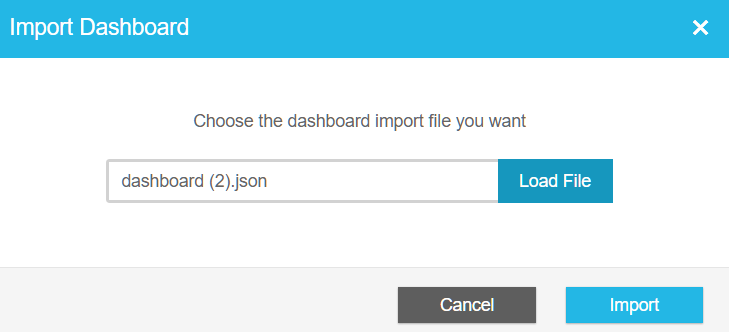
The Import Dashboard dialog box is displayed.
-
Load the dashboard JSON file you want to import.
-
Click Import.
The dashboard is imported to All Dashboards with the same name. You can change the name tag in the JSON file before importing it.
Updated over 1 year ago
Did this page help you?