

Datadog
The Datadog collector allows you to collect Datadog metrics and send them to Anodot for advanced processing and monitoring.
Creating a Datadog data source
- In the Navigation Panel, go to Integrations > Catalog.
- Use the Search box OR click the APM filter to locate the data source.
- Hover over the Datadog tile, and click Start.
Note: If the data source has already been used, a dialog is displayed in which you can select from one of the listed sources. Alternatively, create a new source by clicking Add a new source. - In the displayed dialog, fill in the relevant fields:
-
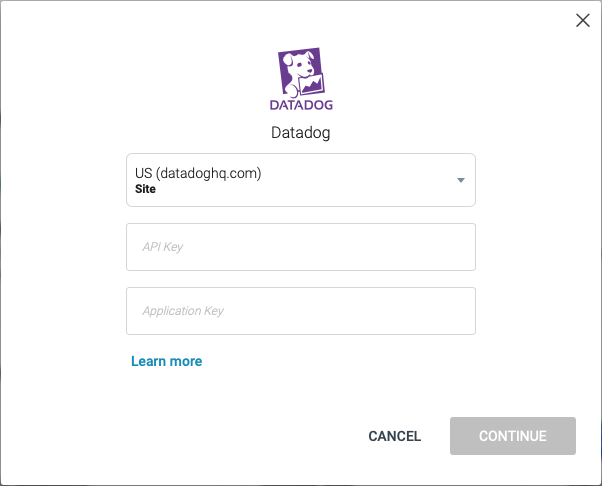
Choose the Datadog site your account is hosted on. The current options are US and Europe.
-
The API Key field is generated within Datadog by the user for API access.
-
The Application Key is required to perform “GET” queries. It is required that the application key is linked to a user with full access within Datadog. Refer to the Datadog documentation for further details.
-
- Click CONTINUE.
Creating a Datadog stream query
If you have just created a Datadog data source, skip to step 3.
-
In the Sources page (accessed by clicking Integrations > Sources in the Navigation Panel), filter the list of streams to find the Datadog source for which you want to create a stream query.
Note: The streams associated with that source are displayed. If the streams panel is empty, no stream queries exist for that source. -
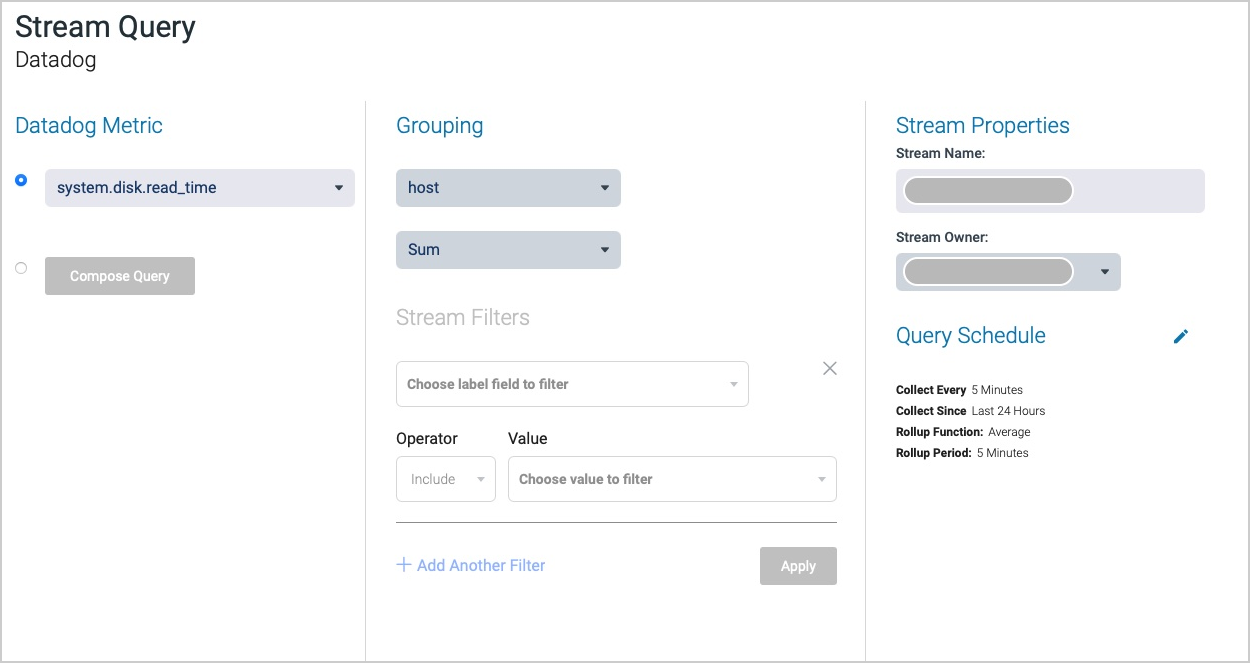
Hover over the Datadog data source, and click + New Stream. The Stream Query page is displayed.
-
Define your stream query settings.
-
Review the Stream Query page to confirm your chosen stream data.
-
Click NEXT. The Stream Table is displayed; see Stream Tables for more information.
The Datadog metric query
You can choose between the list of recently available metrics in your account or composing your own Datadog metric query.
- If you choose a metric from the list, the grouping, filtering and rollup functions can be used.
- If you choose to compose your own query, all grouping, filtering and rollup should be done within the query. See the Datadog query documentation for more details.
Updated over 1 year ago