

Delta
| Description | Transforms each sample in the time series to the difference between the sample and the previous one. |
| Input | Time Series: Multiple (Single or multiple time-series) |
| Parameters | Keep Last Value Limit | Optional, numeric, default=null (Limit of null values to skip) |
| Output | Transformed Time Series: Multiple |
| Available in | Alerts, Composites, Dashboards |
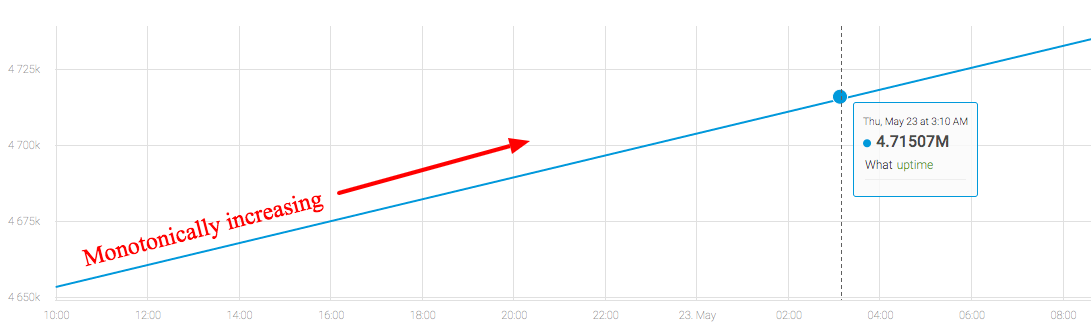
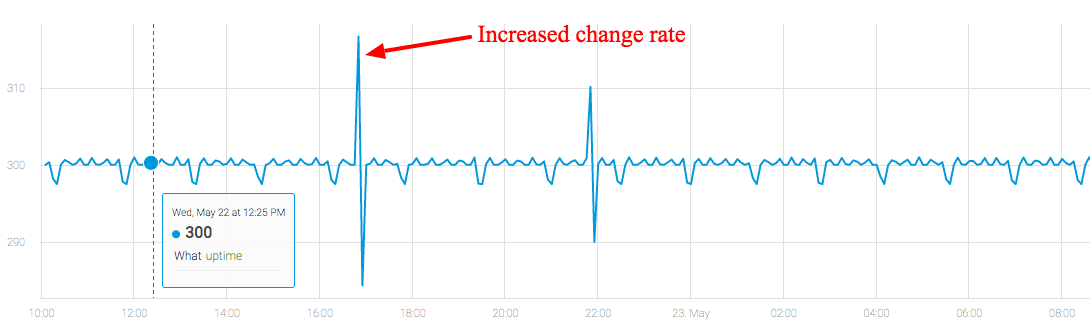
The Delta function is useful when you have a metric whose value increases monotonically. By applying this function, you can monitor the difference between two successive samples in the metric, and catch anomalous changes in the increase rate.
Usage Example
Server uptime is usually measured using a counter metric. This chart shows some raw data before applying the function:
After applying the Delta function, even minor anomalies can be easily monitored in the change rate of the server uptime:
In cases where the metric value increases monotonically and occasionally resets to zero (for example, on restart), use the NonNegativeDelta function instead.
Updated over 1 year ago
Did this page help you?