

Main Dashboard Window
To display all available Dashboards, navigate to the All Dashboards window.
-
From the main Navigation panel, click Dashboards to display the All Dashboards window.
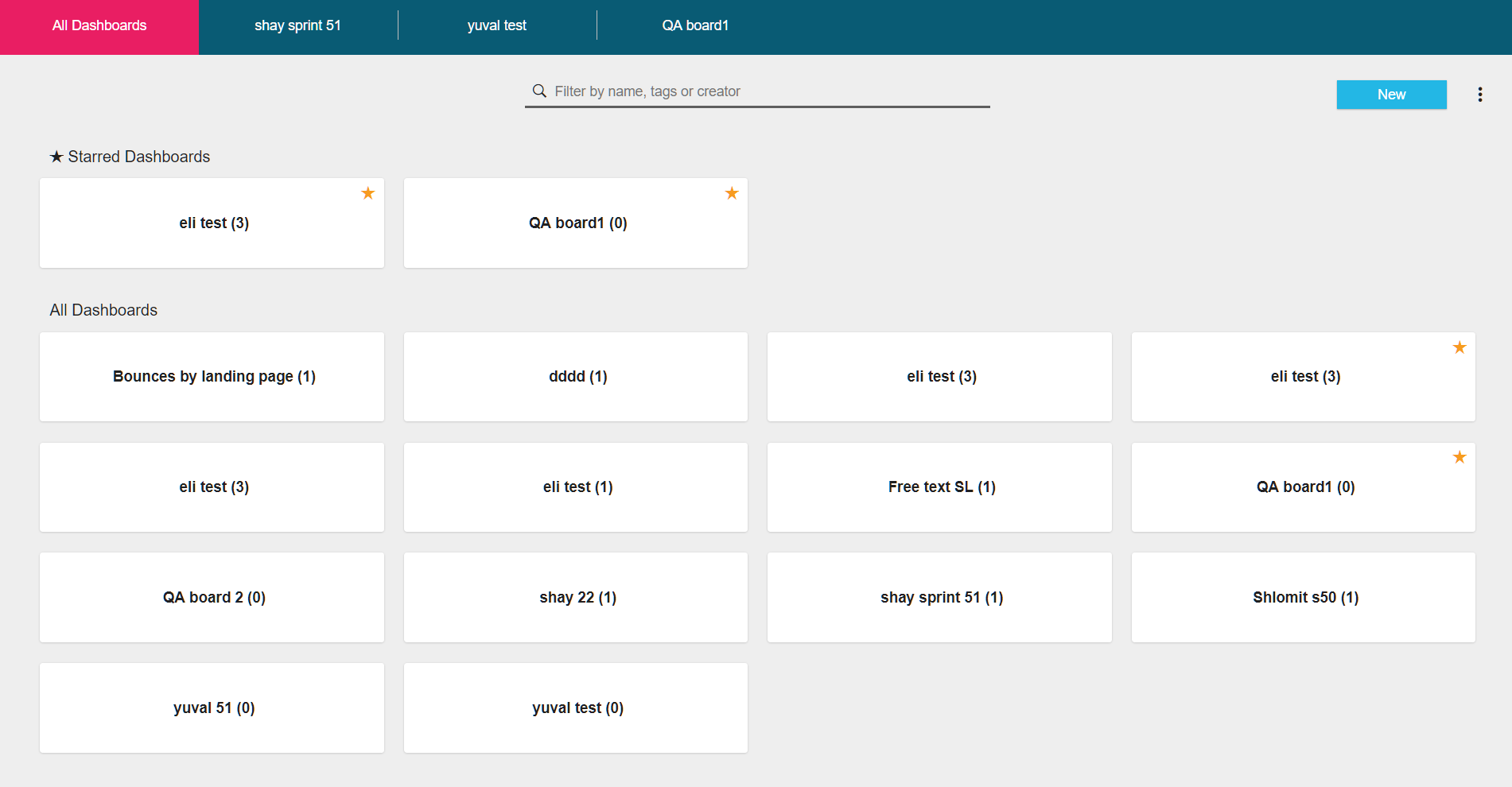
Note: The names of open tiles are displayed in All Dashboards bar.
| To | Click |
|---|---|
| Filter tiles by name, tags or tile creators | Type a name(s)/ tag(s) and name owner(s) in the Filter field
|
| Import a Dashboard | The All Dashboard More Icon
|
| Open a file | On the tile you want to open
|
| Close a file | Hover over the tile name in the All Dashboard bar and click  |
| Prioritize a tile - prioritized tiles are displayed at the top of the main Dashboard window | Hover over the tile and click   indicates a prioritized tile. indicates a prioritized tile. |
Update the:
| The More icon 
|

Updated over 1 year ago
Did this page help you?